01 · Photography · Available app
Trix
Hold the action. Move around it.
Friends place phones around a subject and capture short windows around one moment. Trix combines the real viewpoints into a frozen-time orbit video.
 trixWTF
Frontier mobile apps built from everyday sensors and AI.
28 ideas 1 app 27 concepts
28 ideas
Browse the collection
No ideas match those filters.
01 · Photography · Available app
Hold the action. Move around it.
Friends place phones around a subject and capture short windows around one moment. Trix combines the real viewpoints into a frozen-time orbit video.
02 · Spatial tools · Concept
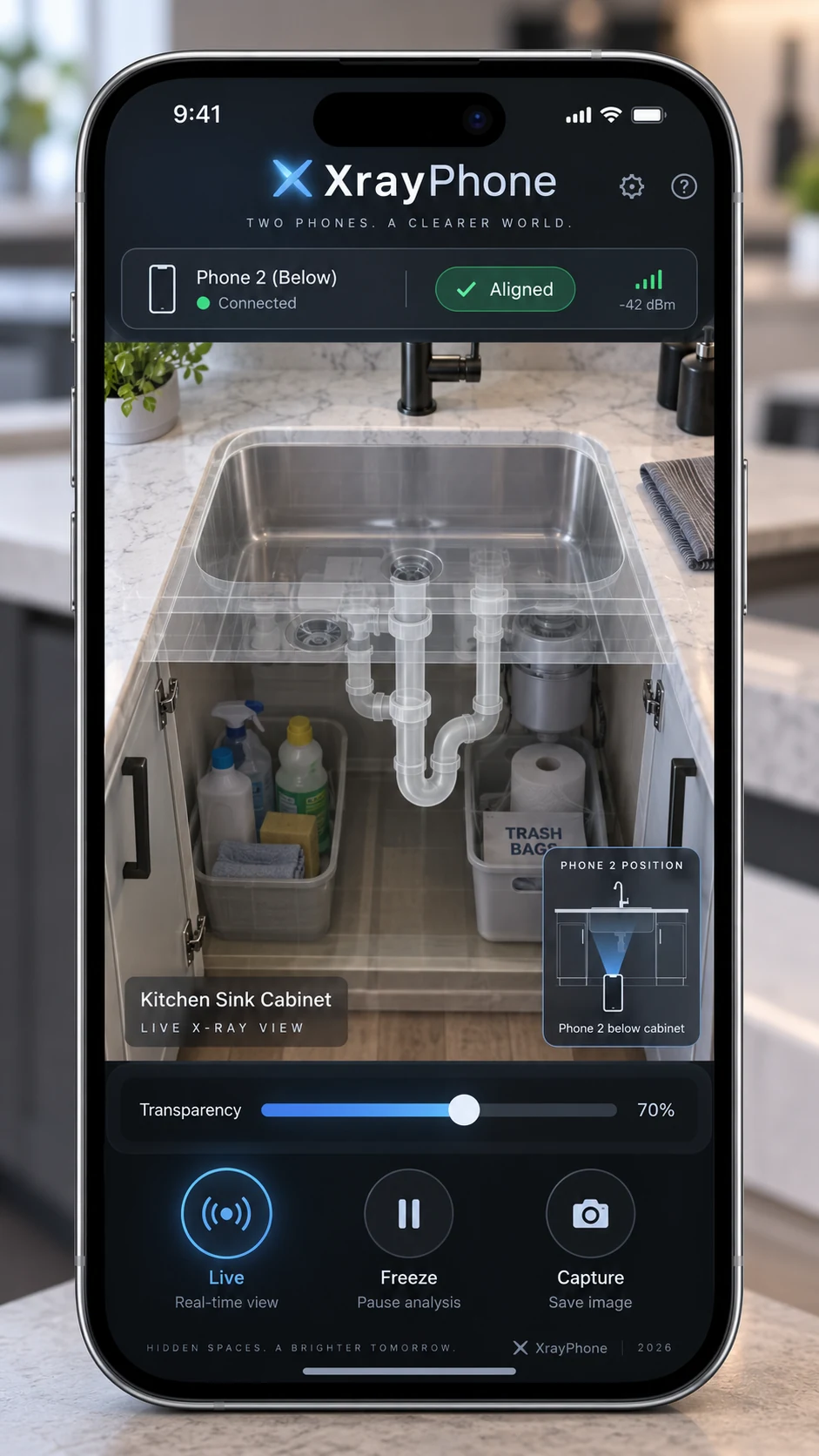
PriorityBorrow another angle to see what’s hidden.
Place one phone behind or beneath an object and use another to align its live camera view with the space in front of you.
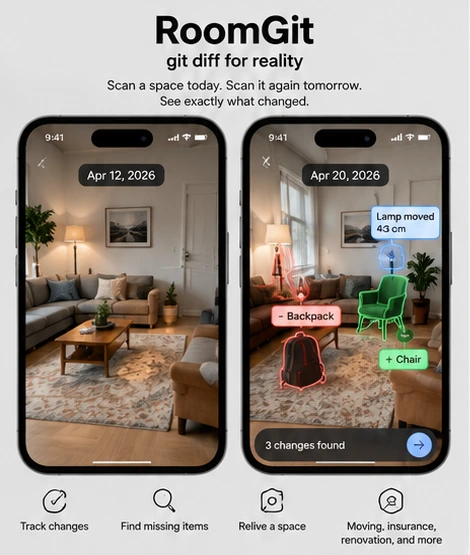
03 · Spatial tools · Concept
See what changed, then bring it back.
Compare shared room scans to find what moved, disappeared, or arrived, then use ghosted earlier positions to restore an arrangement.
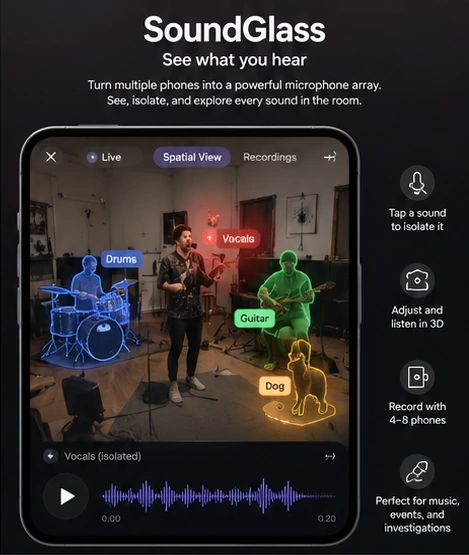
04 · Sound · Concept
Give every voice and instrument a place.
Phones around a room align their microphones to locate sounds and explore different balances from a band practice or gathering.
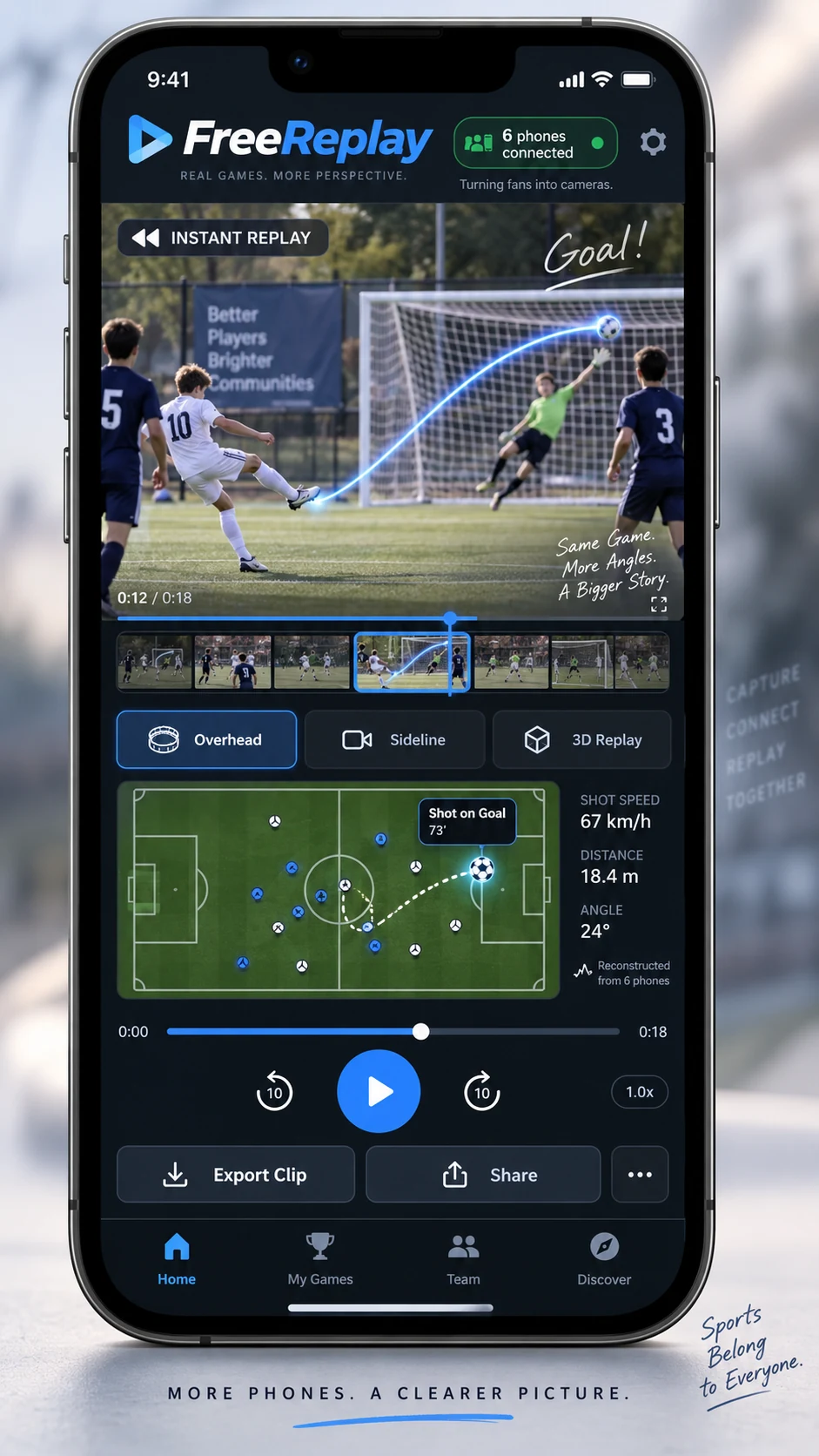
05 · Photography · Concept
PriorityFind the angle the game missed.
Sideline phones synchronize a play, estimate their camera positions, and let a viewer drag a virtual camera around the recorded action.
06 · Photography · Concept
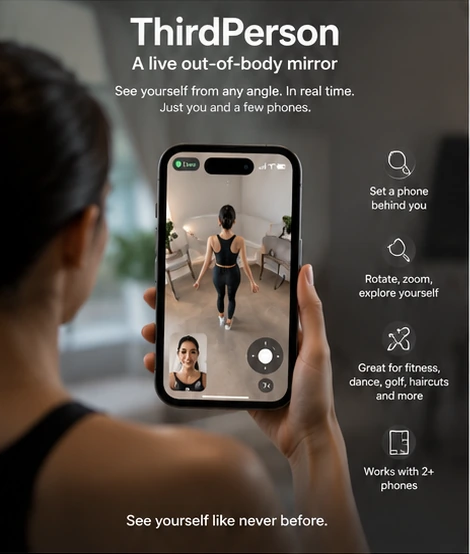
Check the fit from every side.
Two or three phones capture a live, rotatable body mirror for checking a haircut, clothes, posture, or a movement.
07 · Spatial tools · Concept
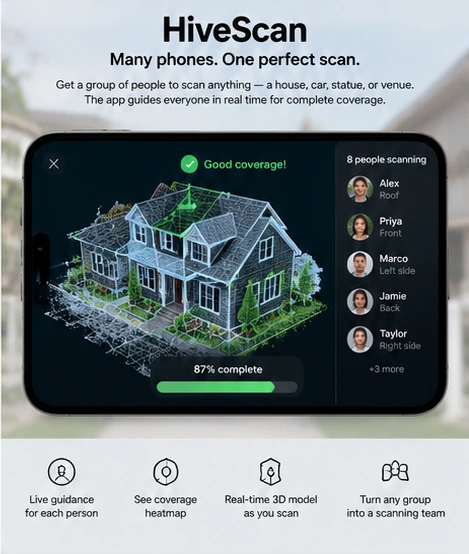
Cover more ground together.
People scan a QR code to join one shared model, see coverage gaps, and receive guidance for views that need another pass.
08 · Photography · Concept
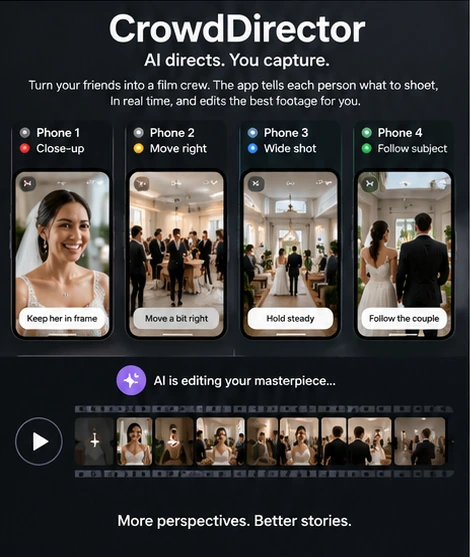
A group of cameras. One thought-through edit.
An AI director gives each phone a complementary live camera role, then combines the crew’s footage into one edit.
09 · Photography · Concept
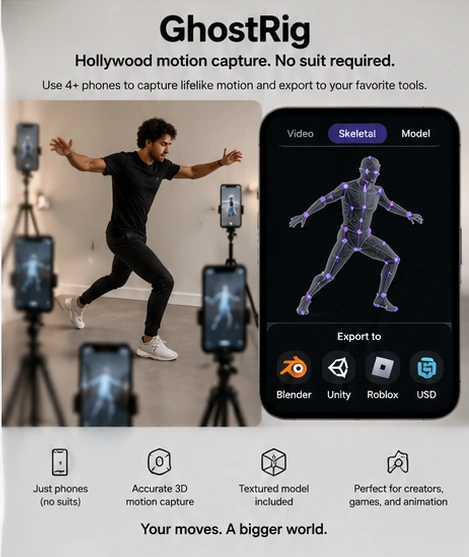
Motion capture. No suit required.
Several phones record a performer from different viewpoints and reconstruct a skeleton plus textured body approximation for animation tools.
10 · Photography · Concept
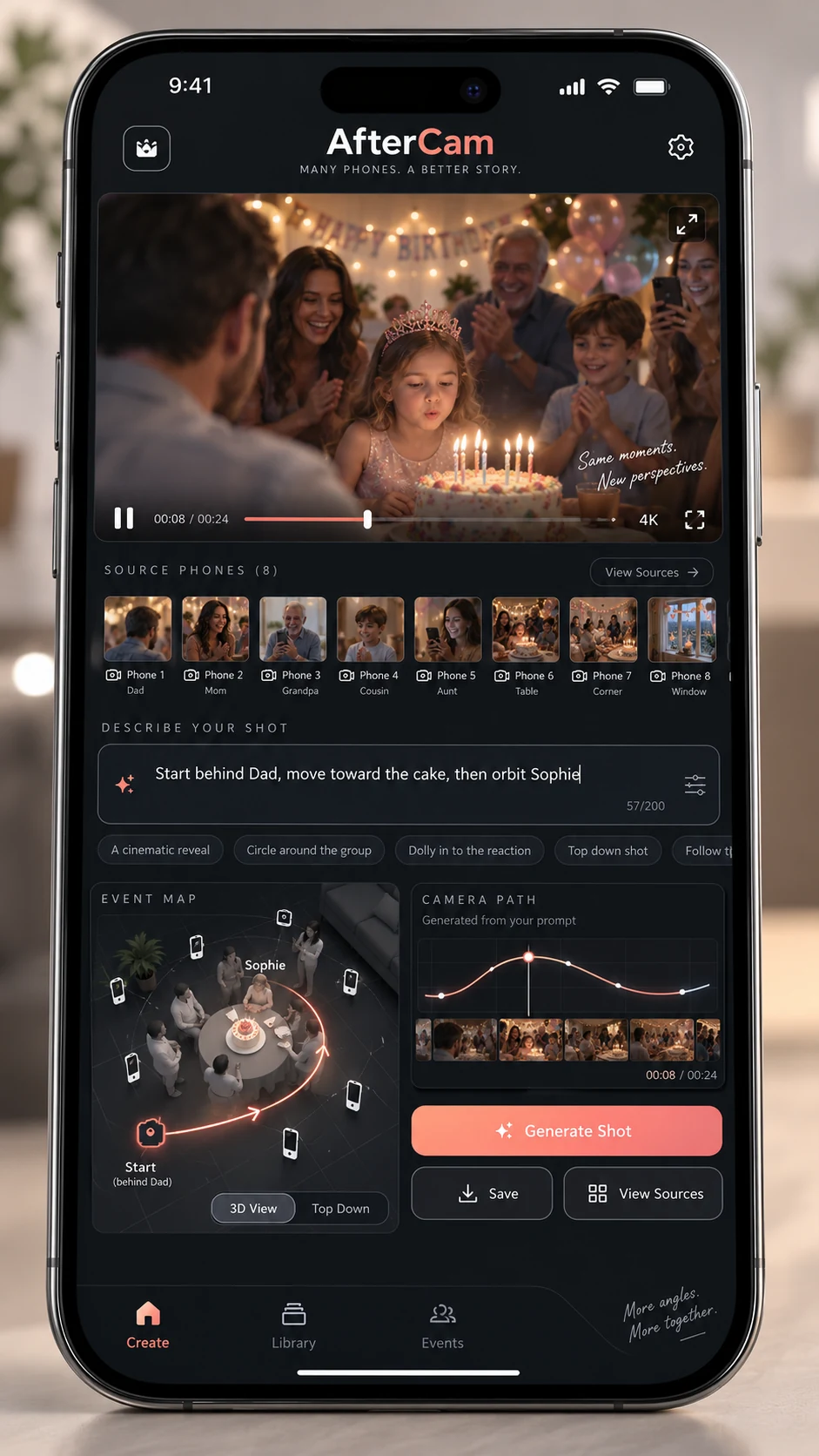
PriorityAsk for the shot after the event.
Describe a camera move the morning after a party. AfterCam reconstructs a virtual path through the time and views the group recorded.
11 · Games · Concept
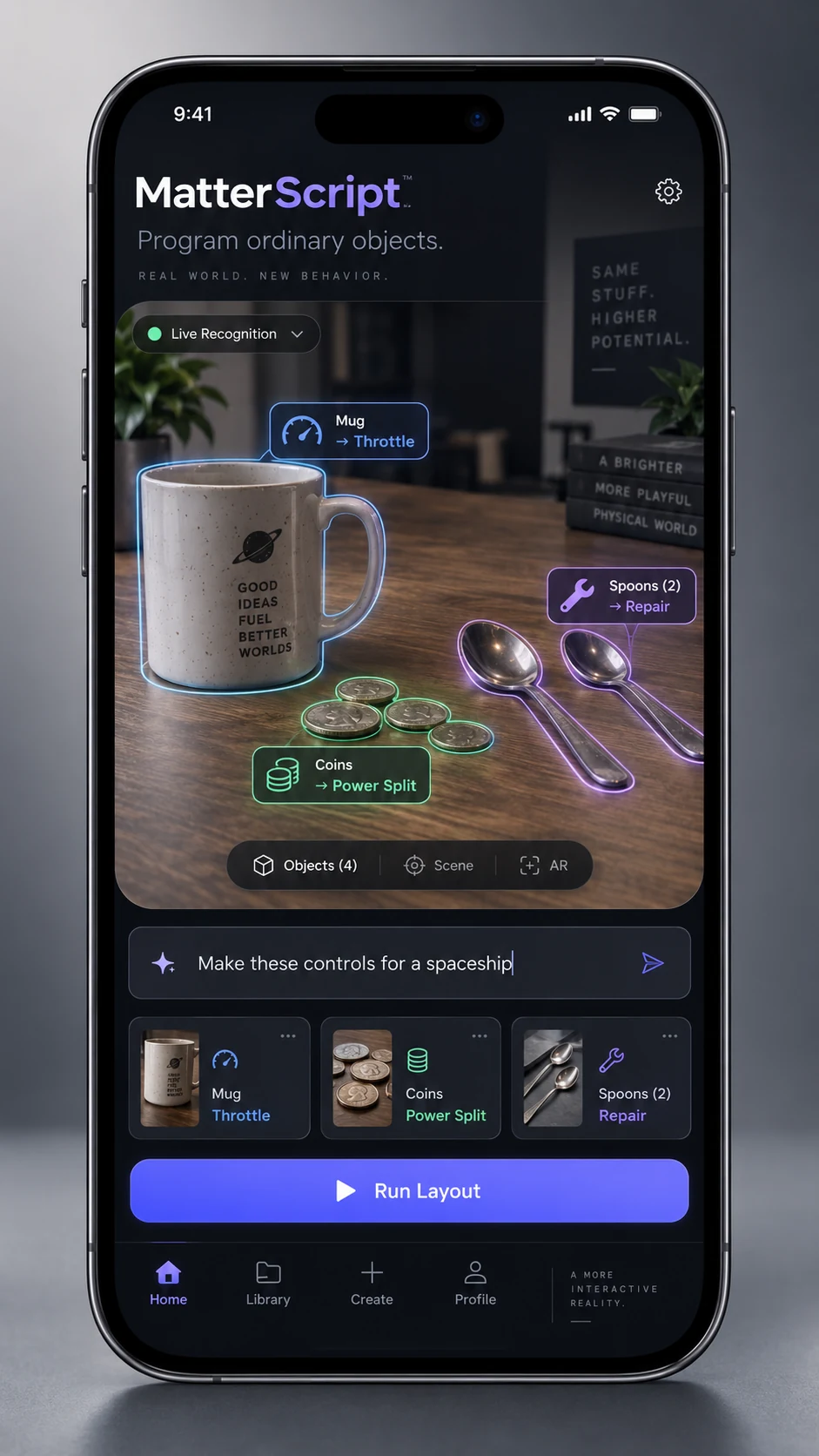
PriorityGive everyday objects executable behavior.
Assign behavior to a mug, spoon, or handful of coins, then use them as game controls, a physical sequencer, a classroom lesson, or a paper UI prototype.
12 · Games · Concept
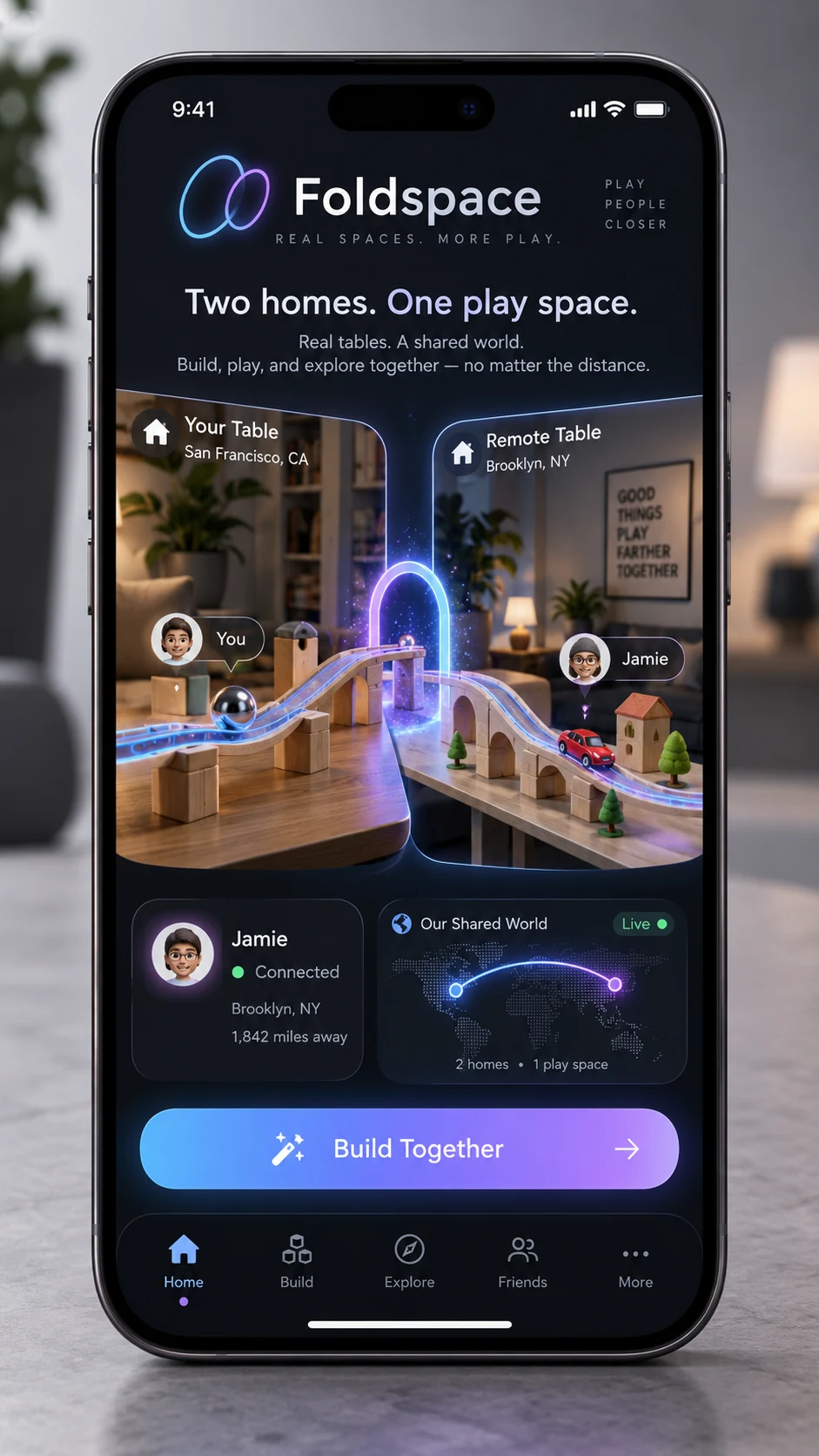
PriorityBuild one shared world across two homes.
Two people build inside one simulation, with books, ramps, and cereal boxes mapped to connected coordinate frames in separate rooms.
13 · Learning · Concept
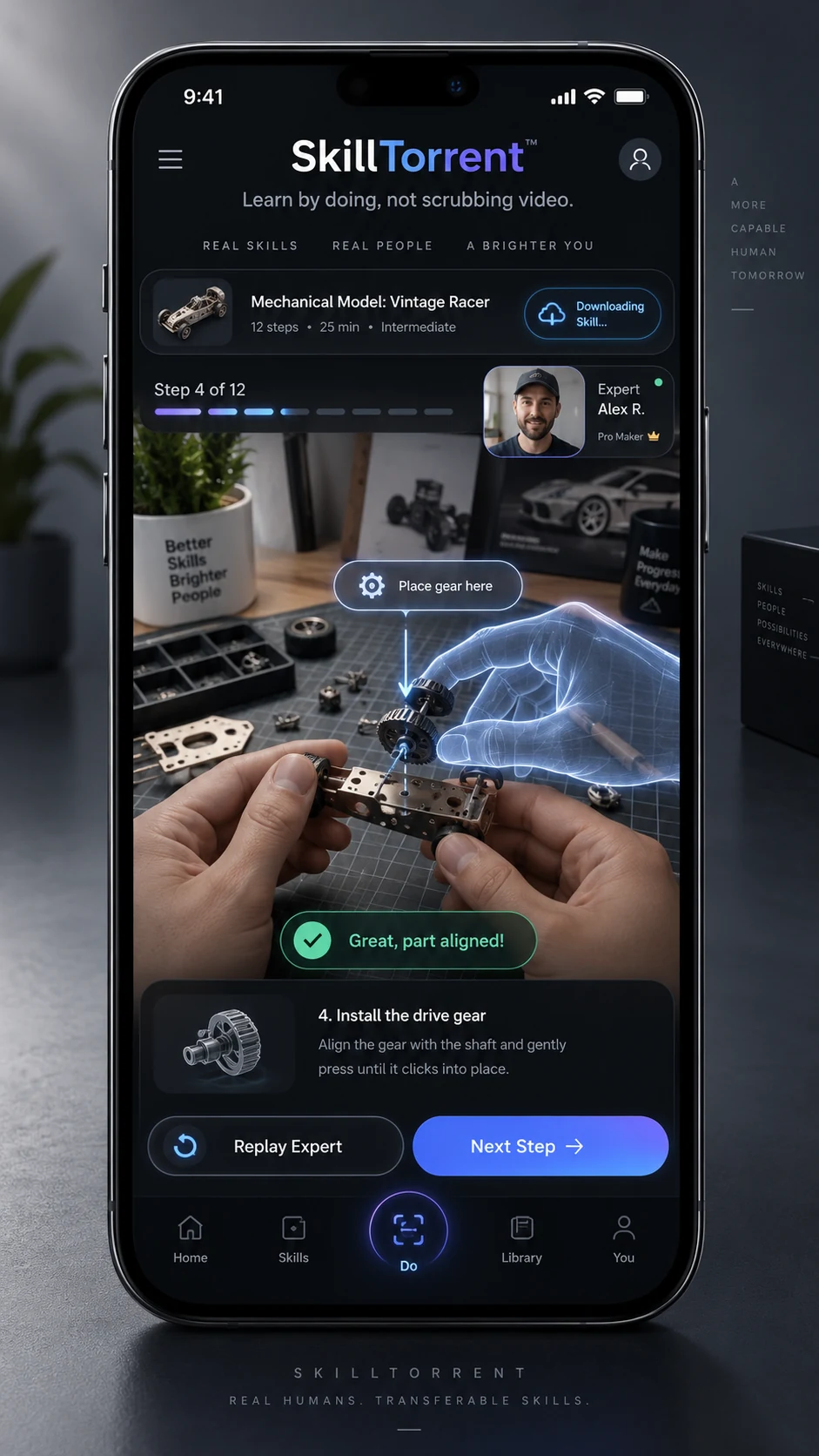
PriorityLearn a hands-on skill at the workbench.
An expert’s spatial hand guides and checkpoints stay attached to a real workpiece as a learner turns it and follows each step.
14 · Physical experiments · Concept
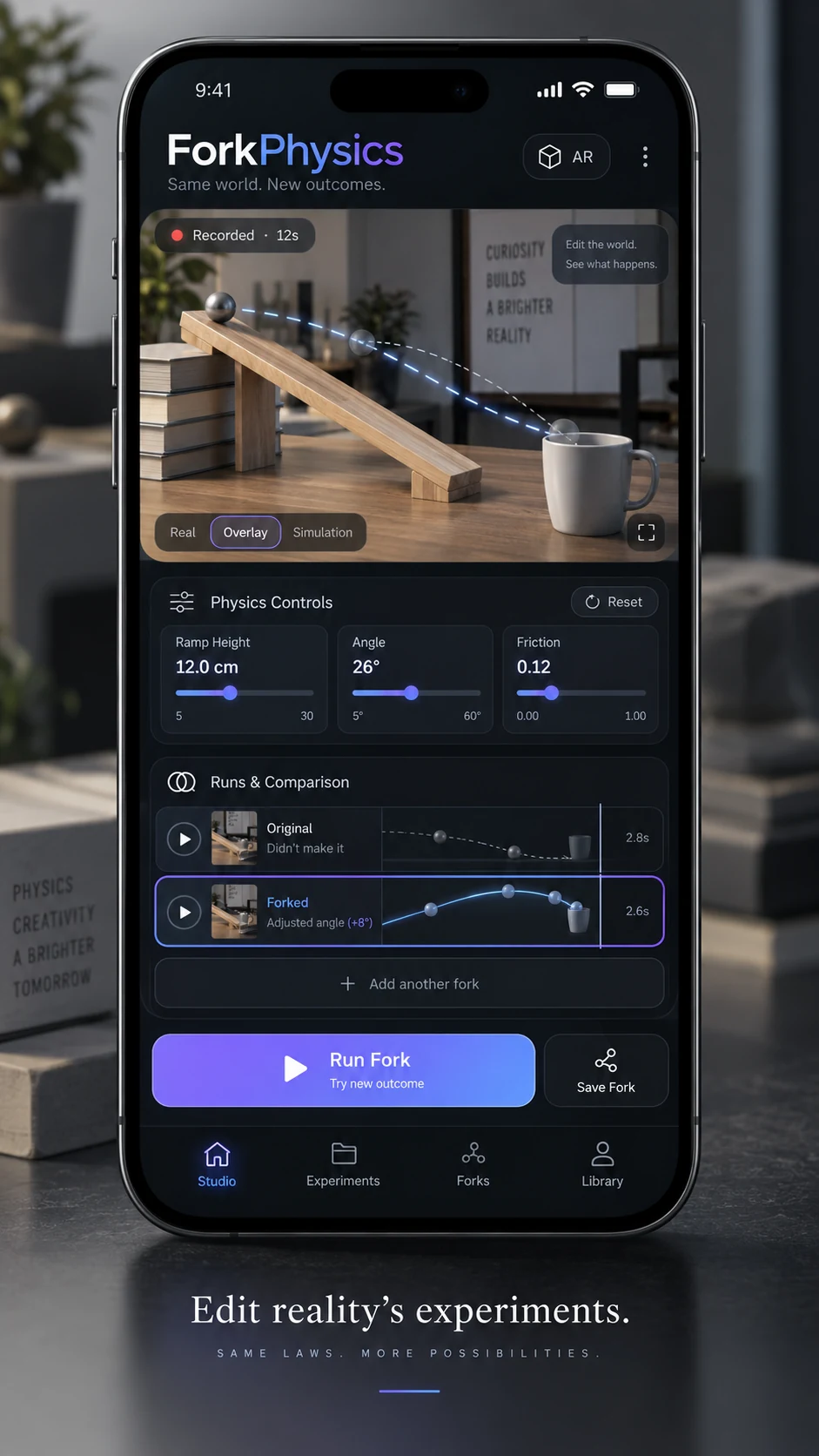
Record an experiment. Change one variable.
Film real marble runs, fit a physics model to measured trials, then rewind a digital copy to test a new ramp or friction setting.
15 · Physical experiments · Concept
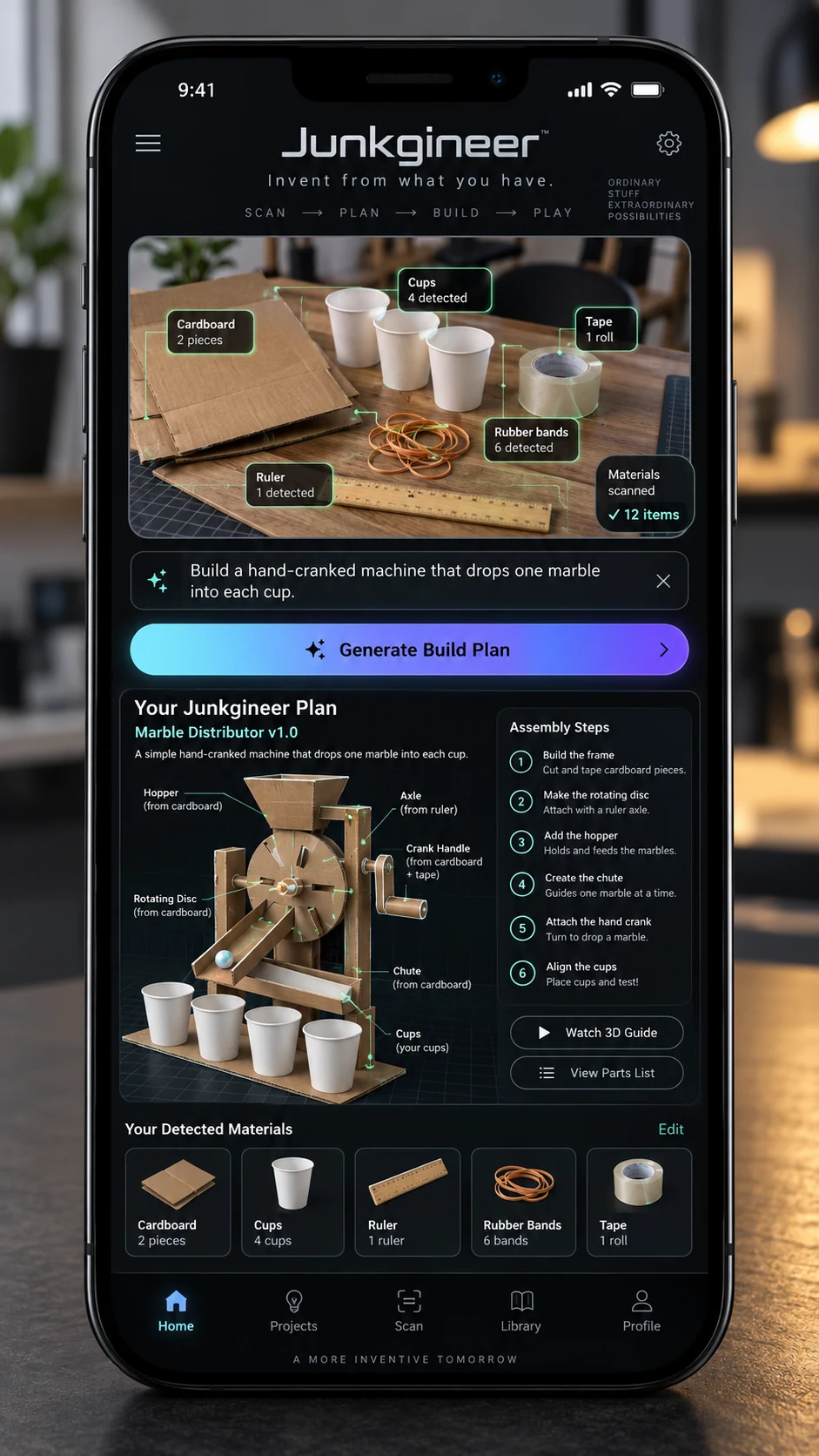
Turn drawer leftovers into a working prototype.
Inventory cardboard, cups, fasteners, and elastic bands, then search a constrained set of buildable mechanisms and assembly plans.
16 · Photography · Concept
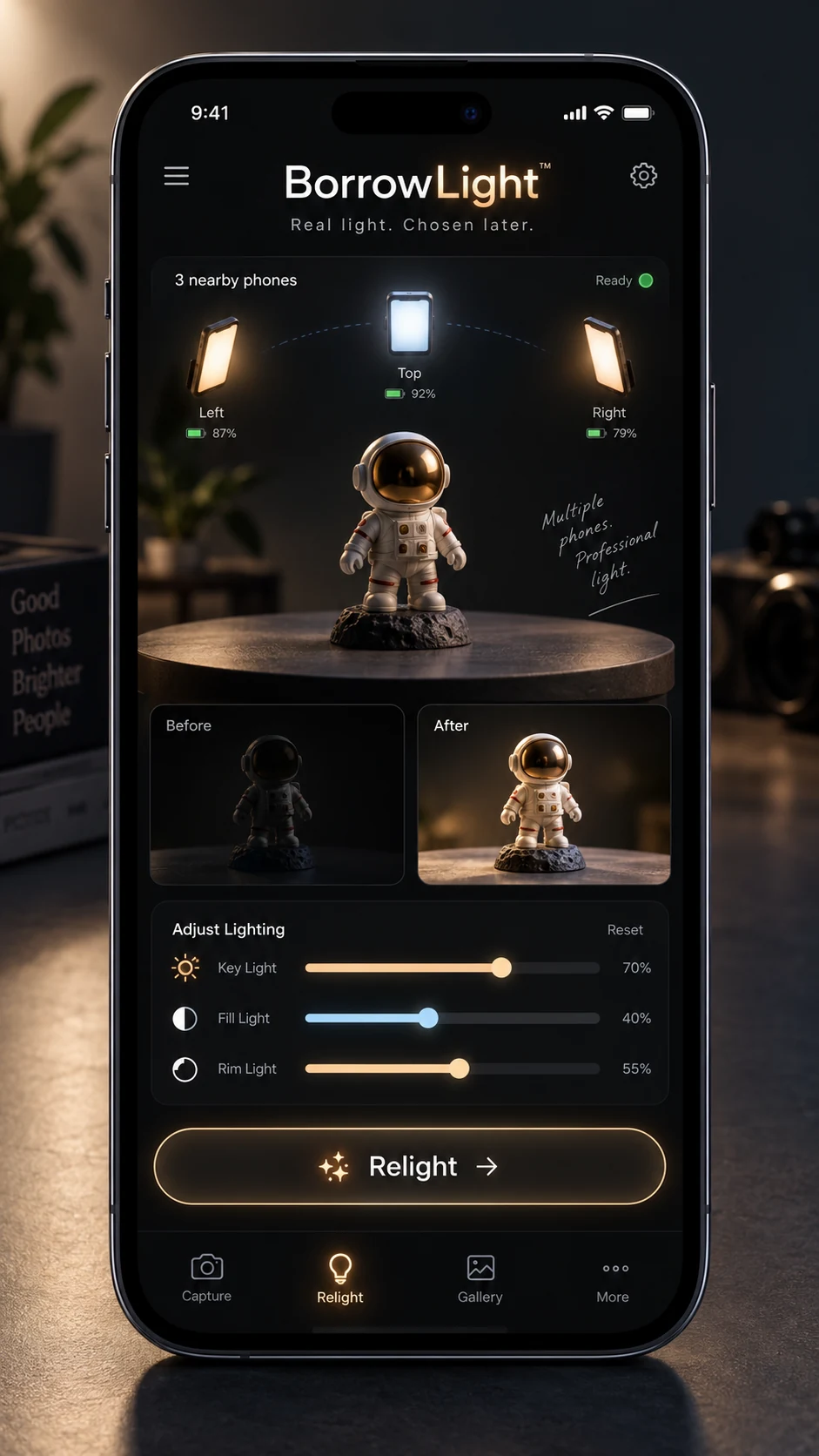
Move the light after you take the photo.
One camera captures a figurine while three phones illuminate it from different directions; later, adjust the real lighting contributions.
17 · Games · Concept
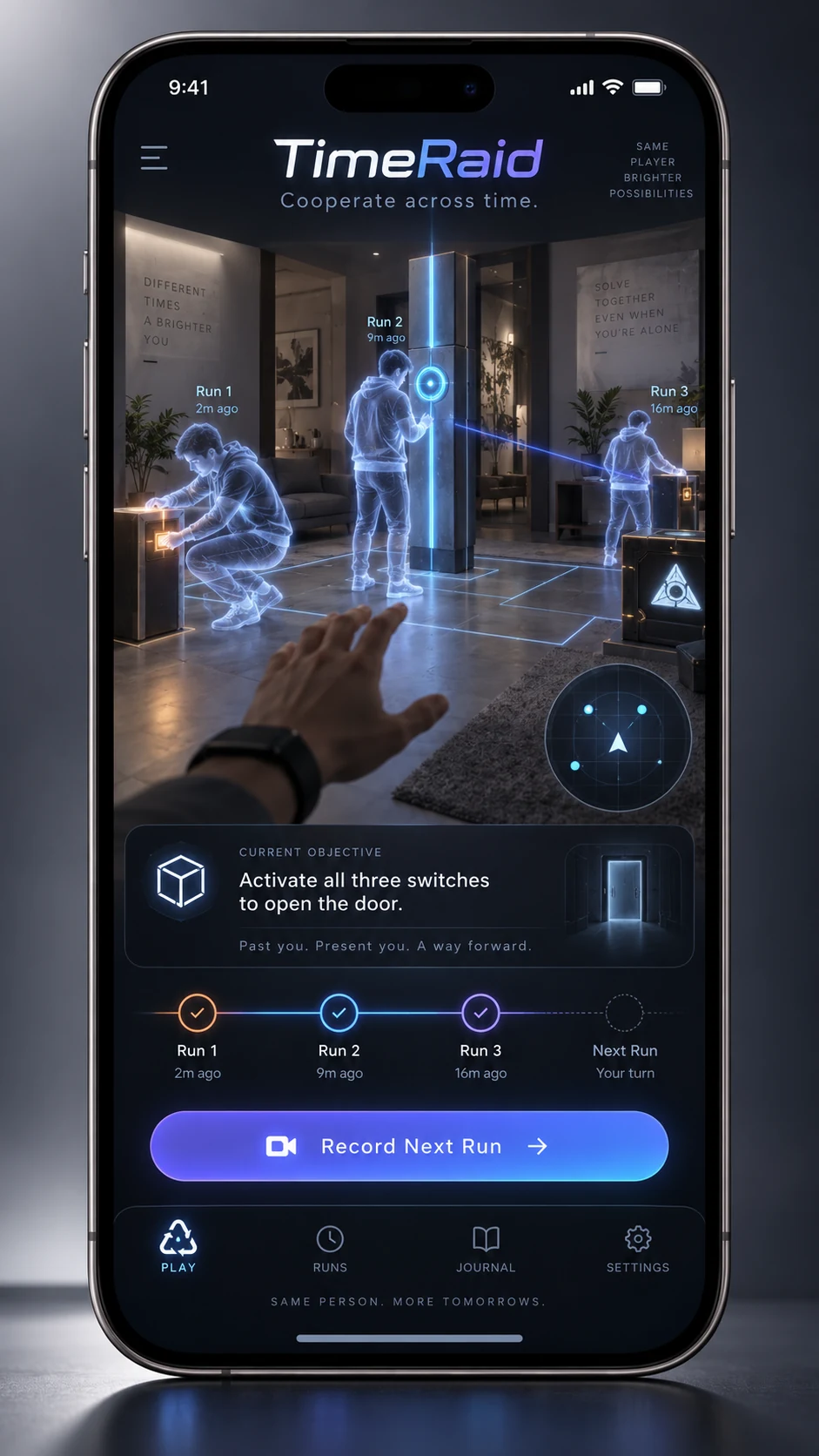
Solve a room-scale puzzle with a past you.
Record an earlier attempt, then cooperate with a translucent replaying avatar that repeats its actions alongside the current run.
18 · Physical experiments · Concept
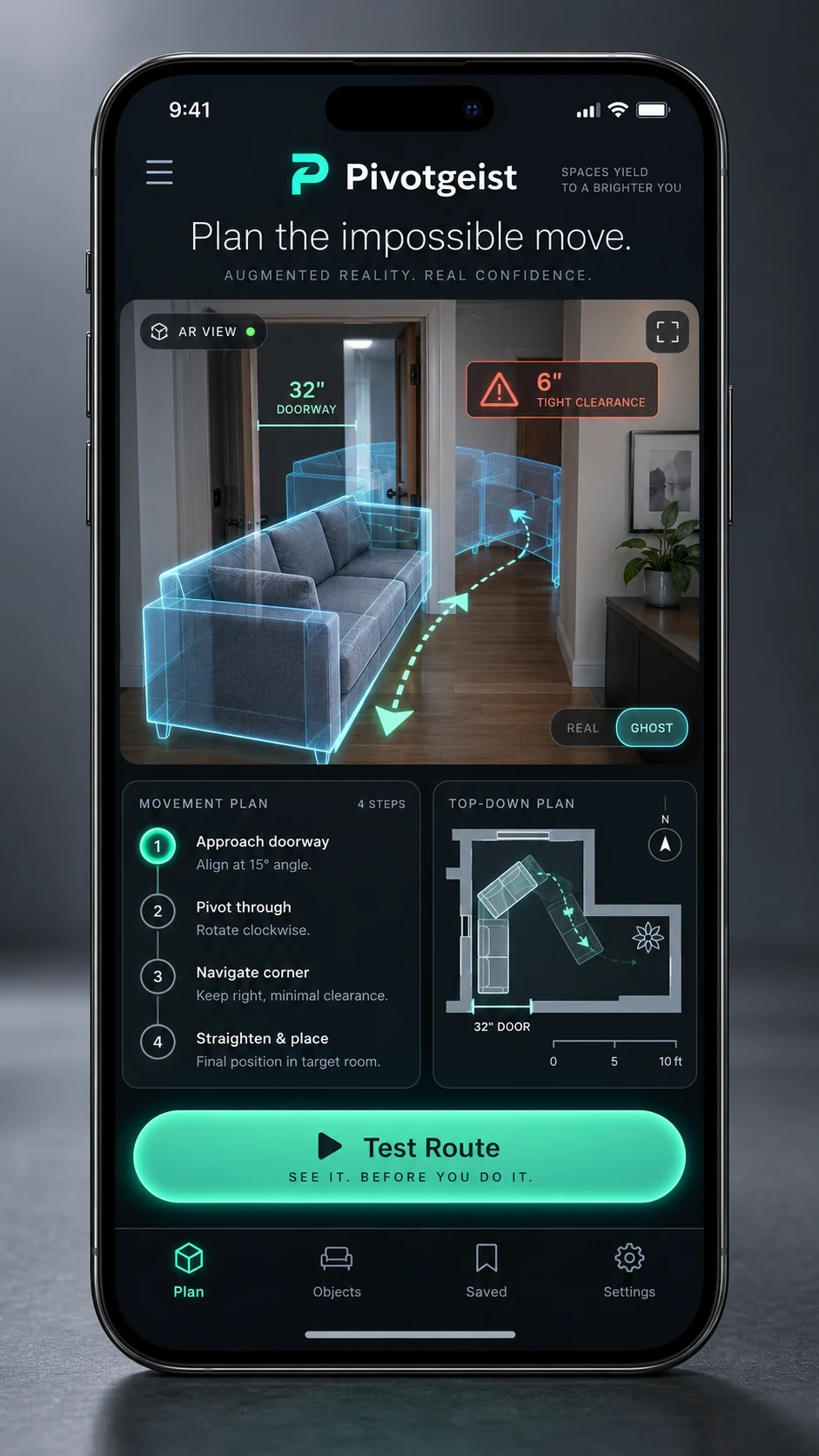
Rehearse the move before you lift.
Scan a bulky object and a doorway, then search for a collision-free position and rotation to guide a ghost move around the corner.
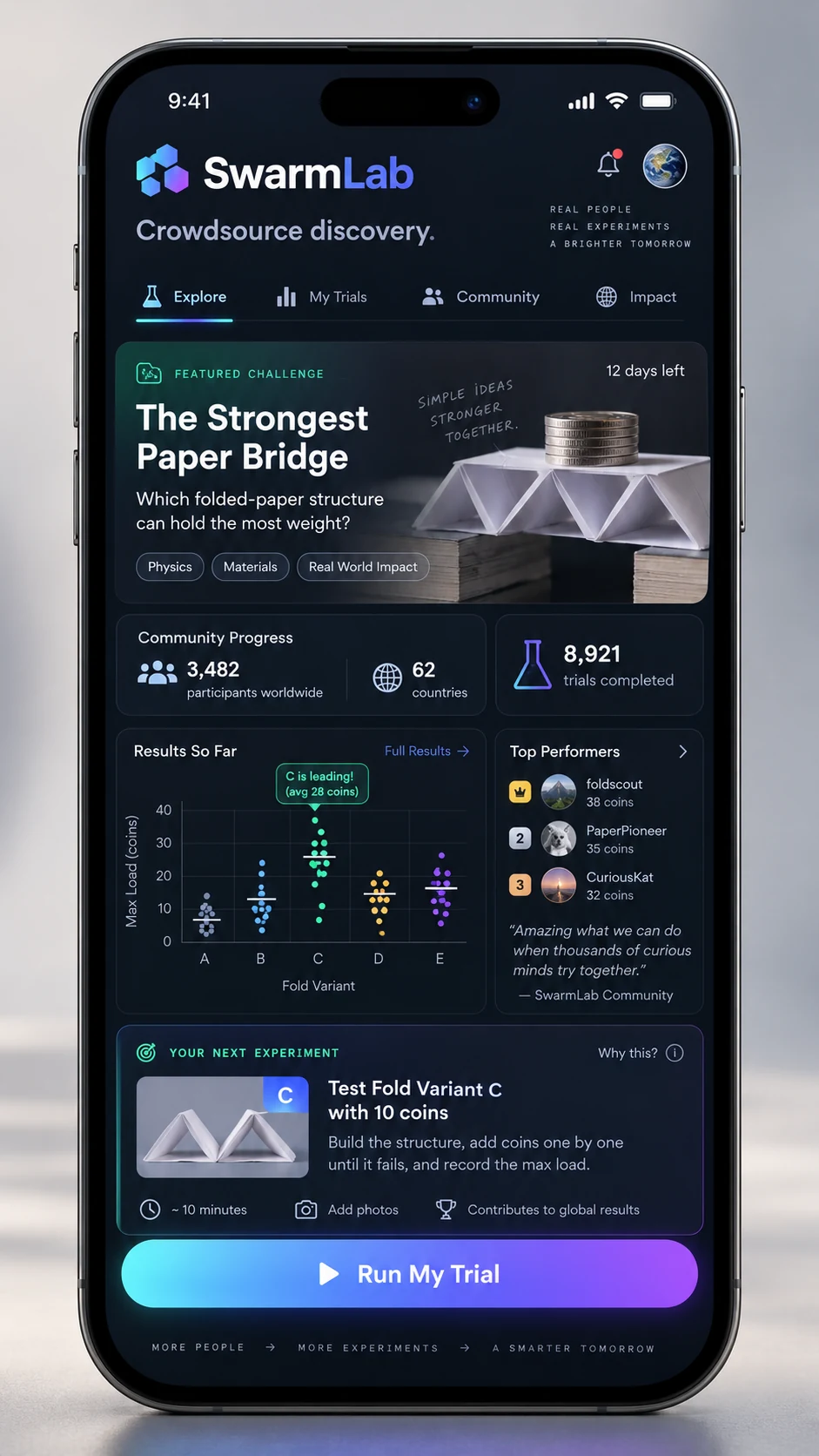
19 · Learning · Concept
Let the next experiment answer a real question.
Coordinate repeatable paper experiments across people and rooms, then choose a useful next trial instead of chasing a leaderboard.
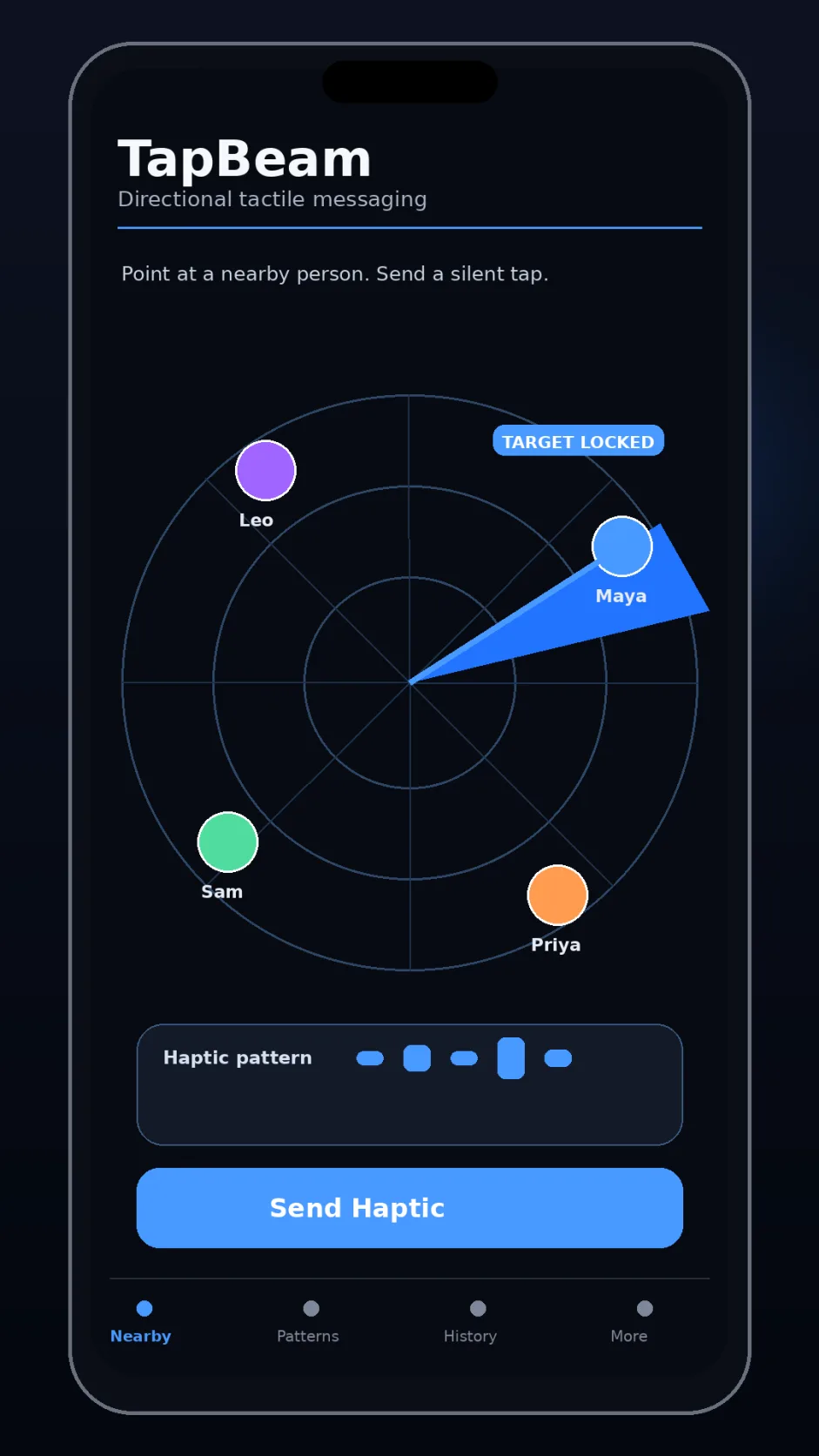
20 · Communication · Concept
Send a silent signal by pointing.
Point at a consenting nearby phone to send a selected tactile pattern for quiet coordination at a restaurant, convention, or on a film crew.
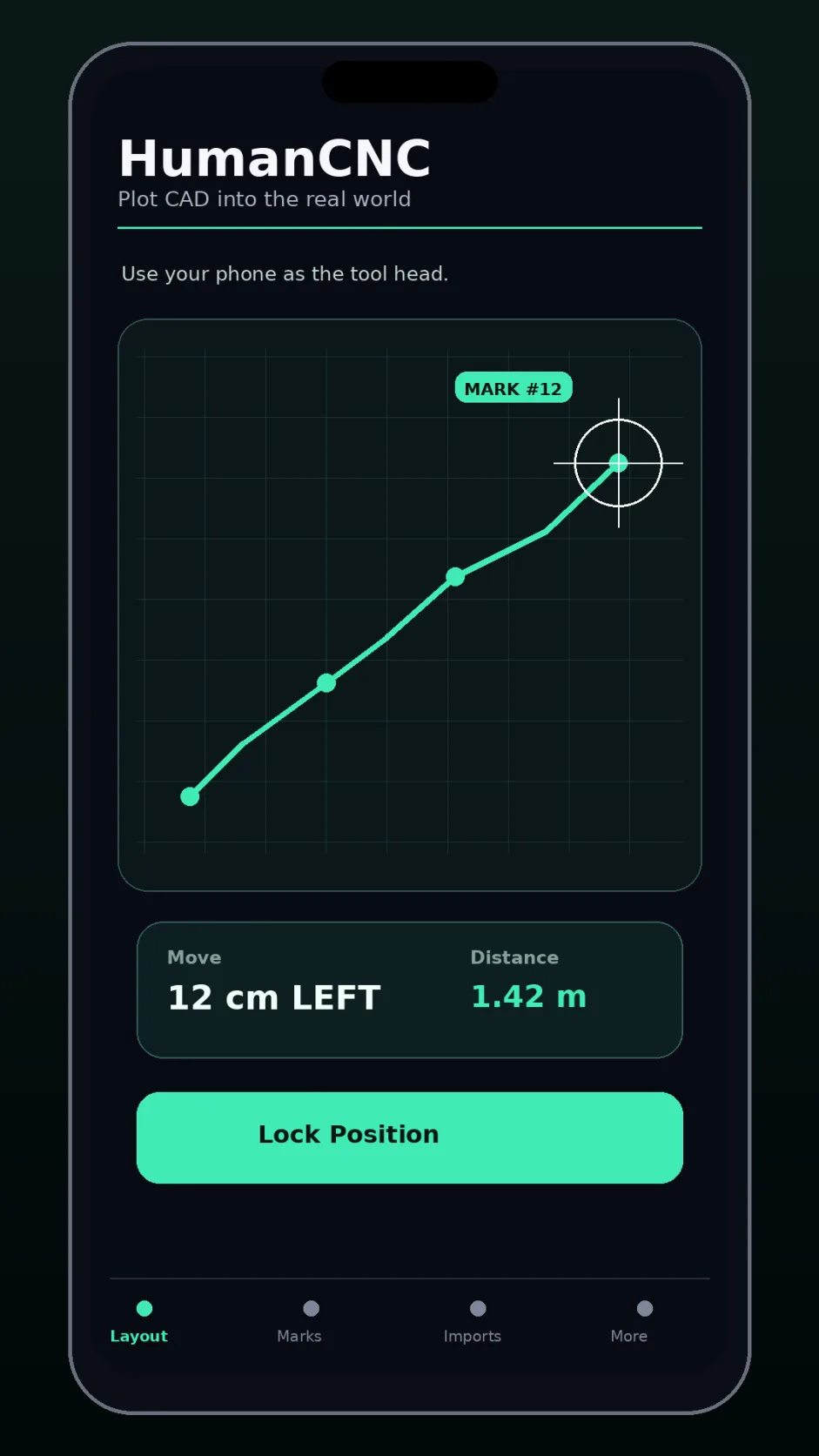
21 · Spatial tools · Concept
PriorityGuide a person to a measured point.
Use temporary phone anchors and a tracked tool phone to guide a person toward a chair, stage mark, picture position, or CAD coordinate with haptic cues.
22 · Physical experiments · Concept
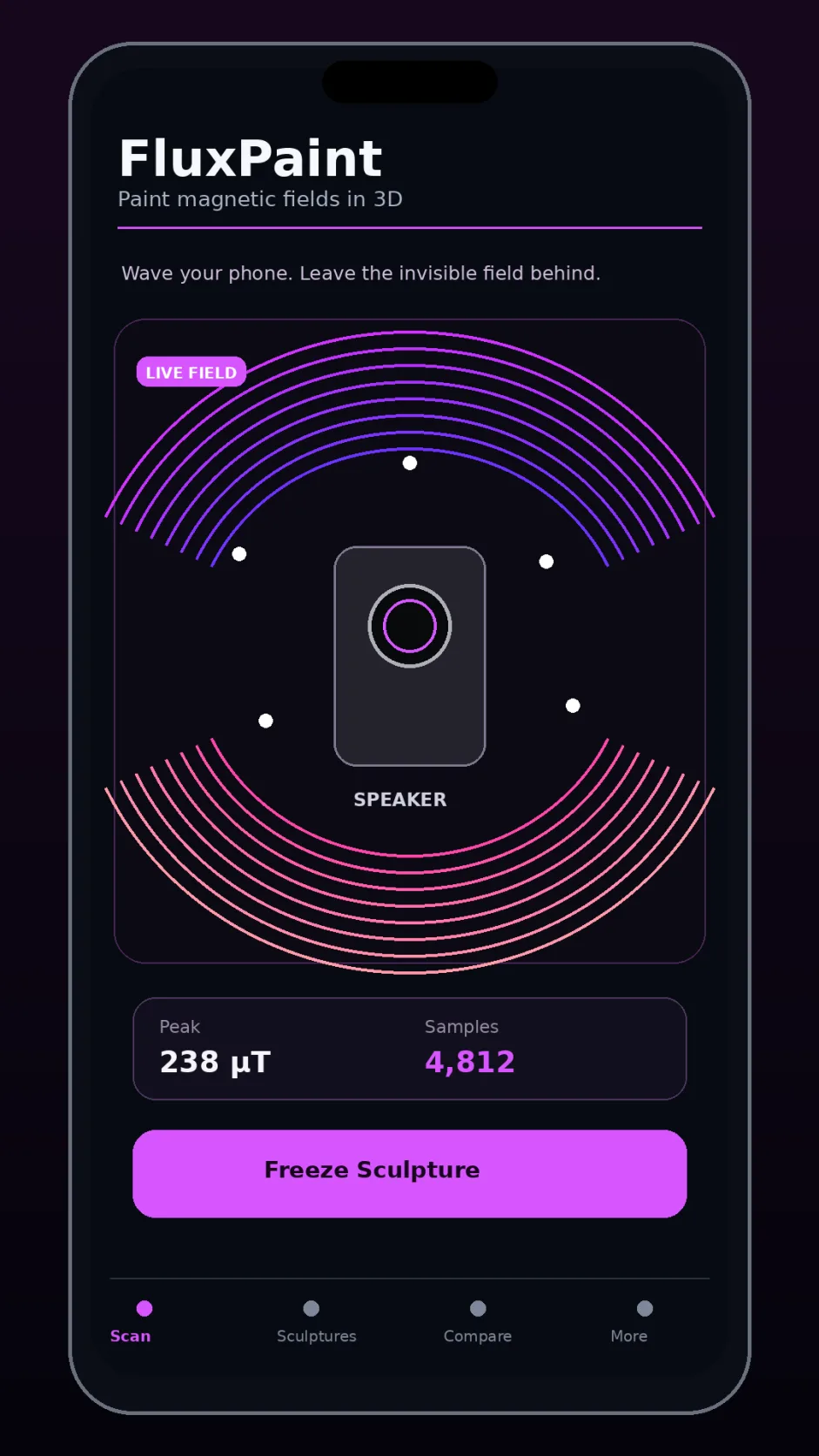
Make magnetic fields visible in 3D.
Combine magnetometer samples with camera positions to map a magnetic field around a speaker, motor, or power supply as a 3D sculpture.
23 · Games · Concept
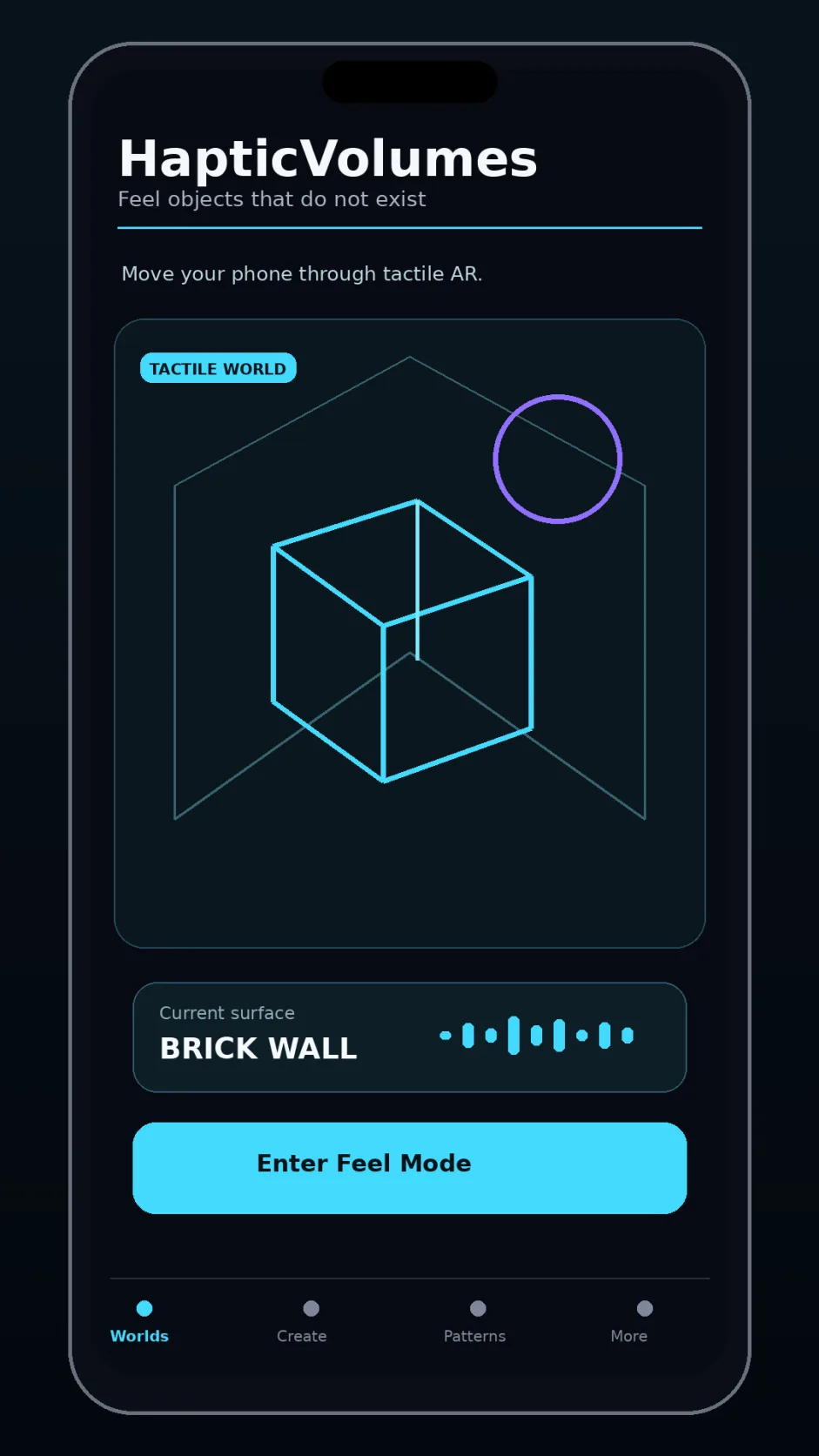
PriorityFeel invisible shapes as you move.
After a spatial calibration, explore invisible walls, spheres, keys, water, or mazes as a phone changes haptic texture when its measured pose intersects virtual geometry.
24 · Sound · Concept
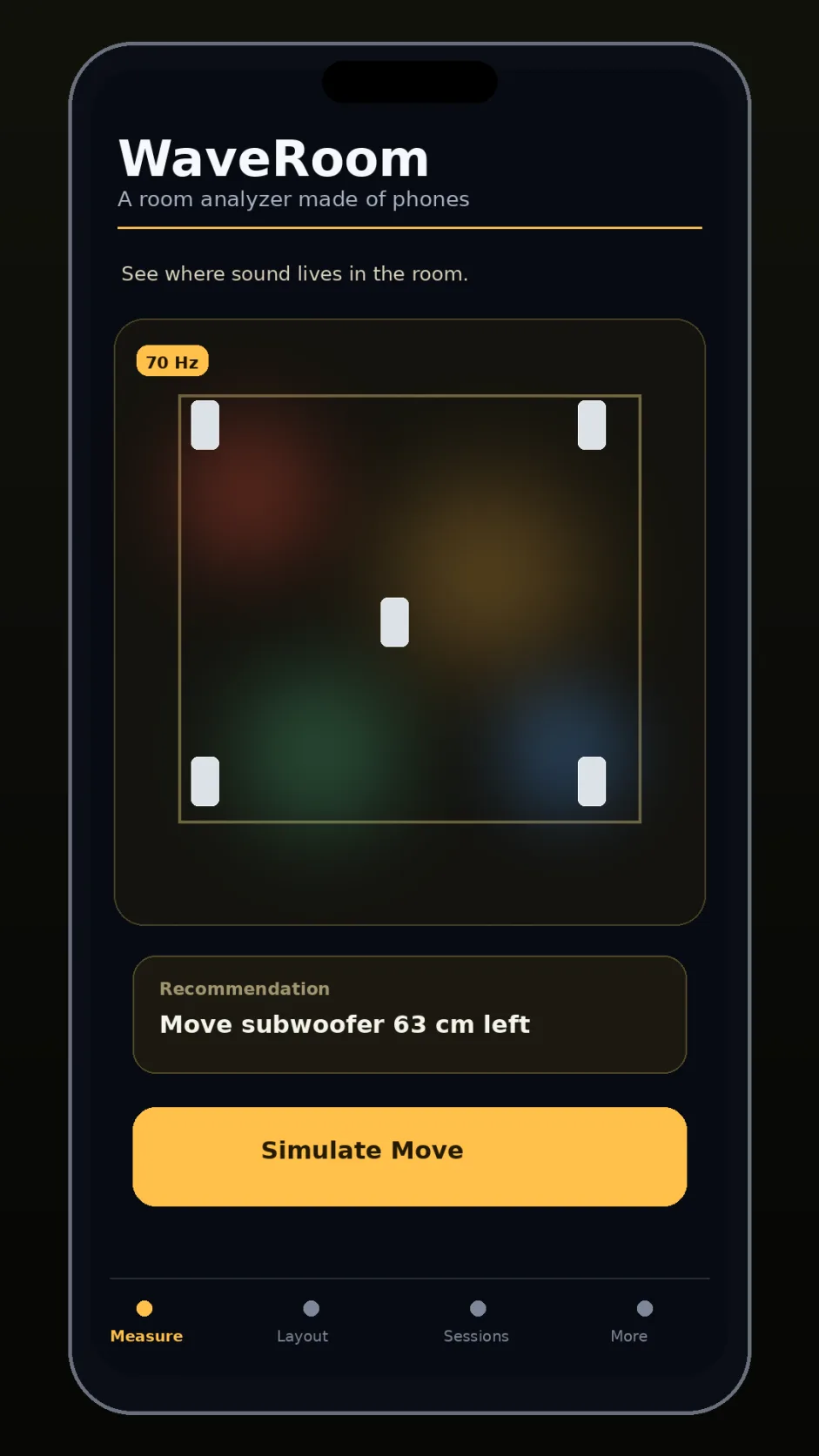
Map how sound moves through a room.
Phones sample speaker sweeps at several room positions to compare acoustic response, locate hotspots, and explore speaker or listener configurations.
25 · Interfaces · Concept
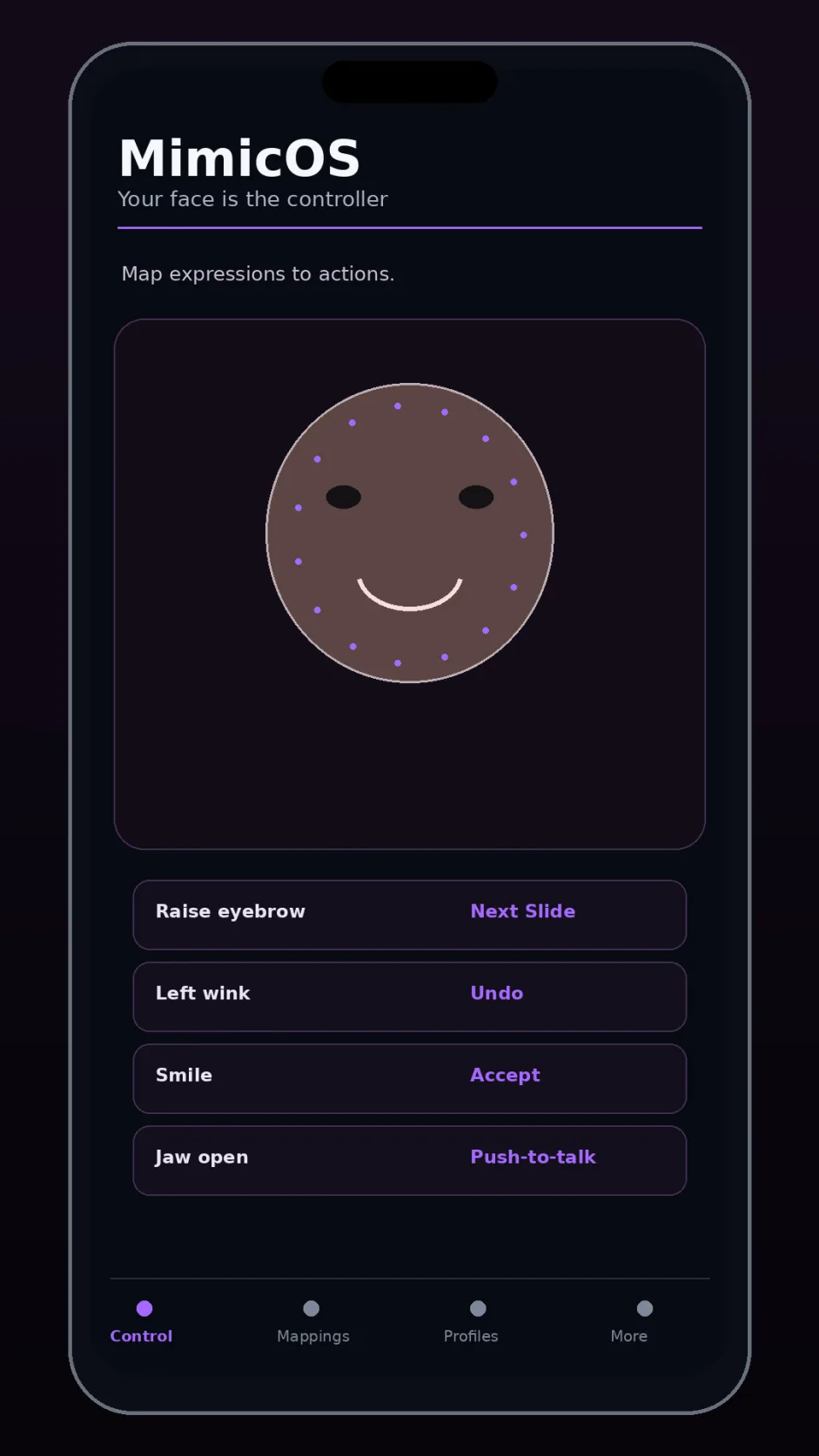
Turn deliberate expressions into controls.
Map a calibrated brow raise, jaw motion, wink, smile, or head pose to app controls or facial MIDI, with haptic acknowledgement for each command.
26 · Games · Concept
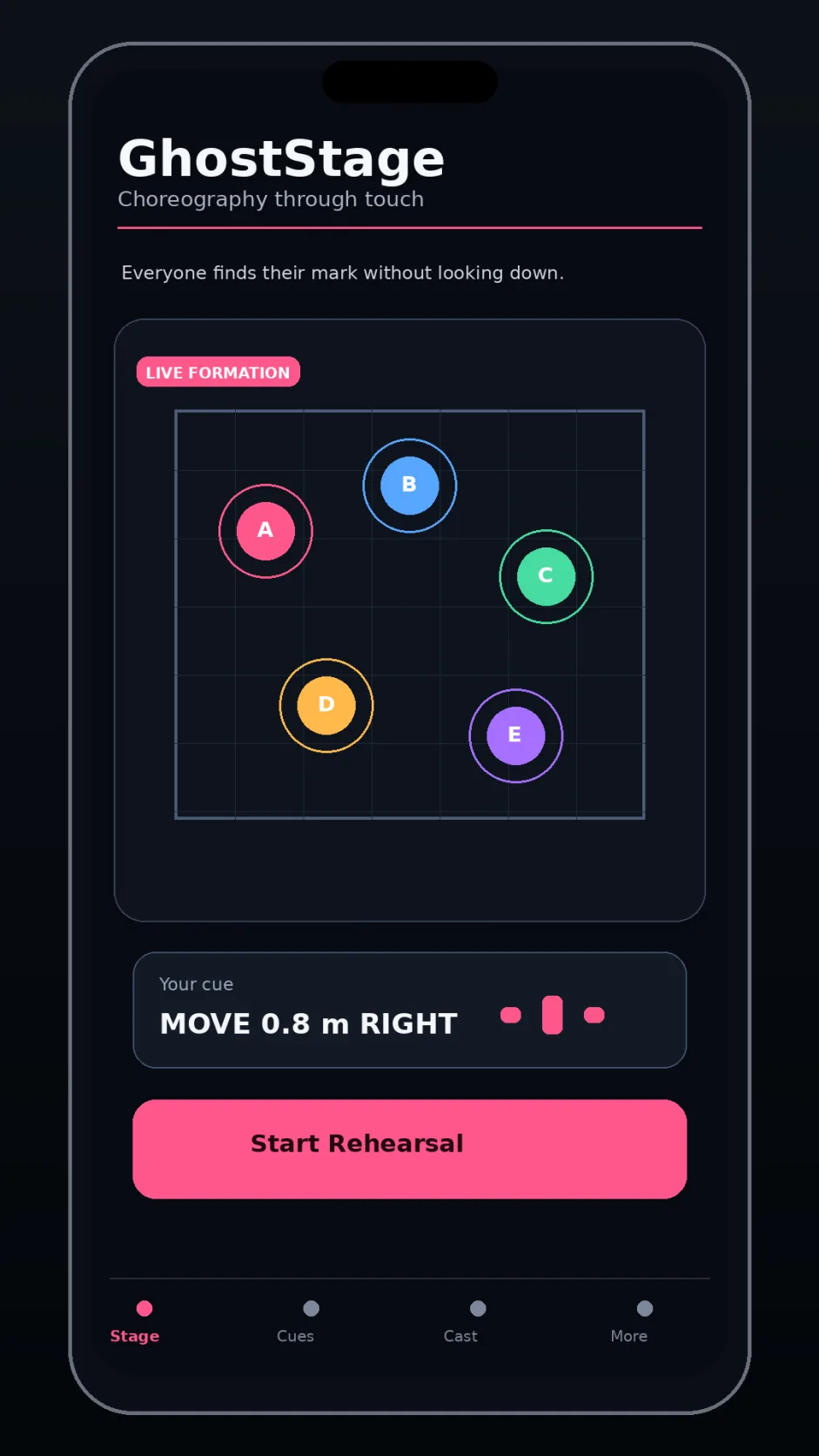
Rehearse your marks with quiet cues.
Pocket phones guide performers through blocking with coded haptics tied to calibrated floor positions and stage cues.
27 · Spatial tools · Concept
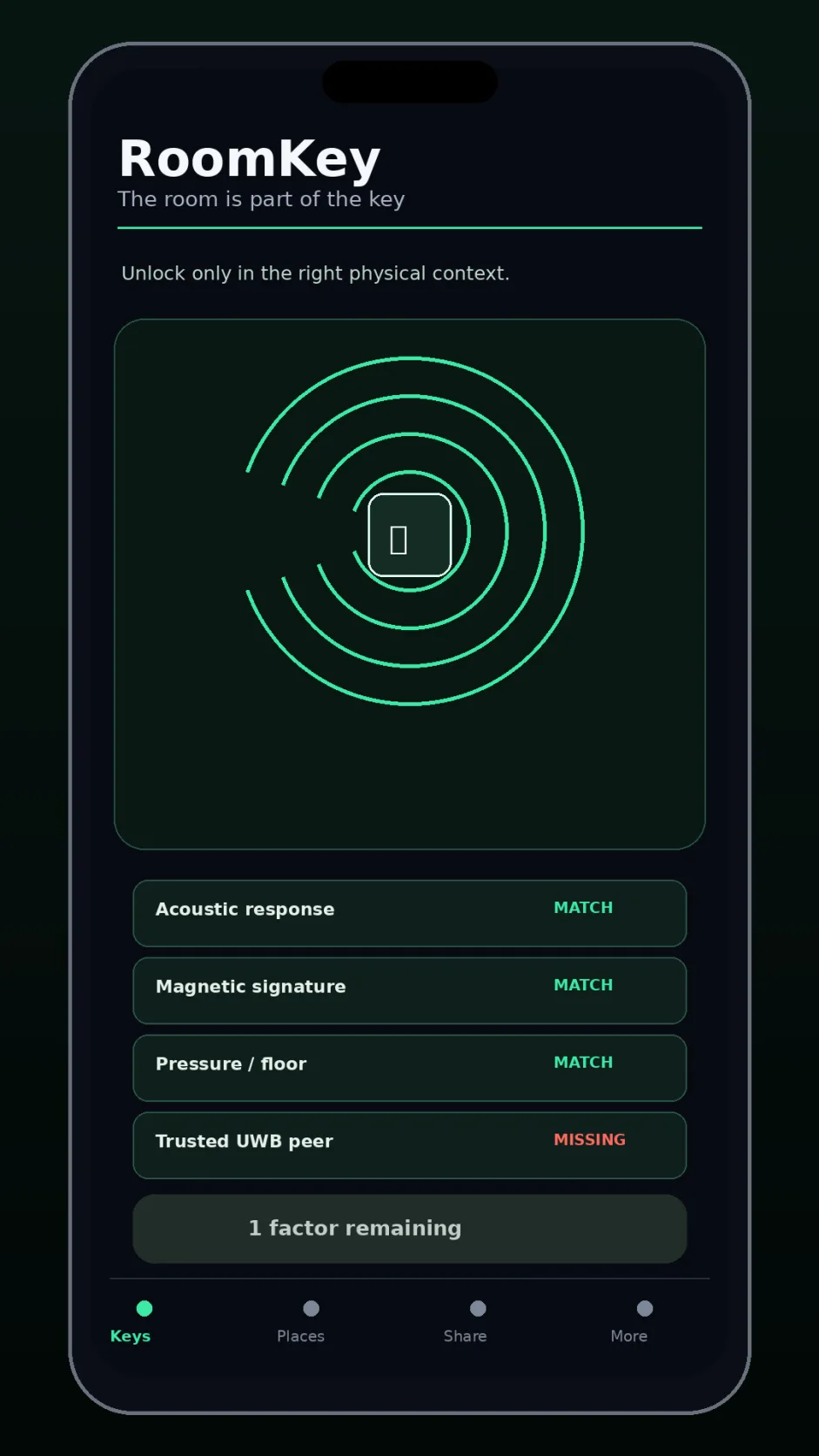
Let a familiar room join the unlock.
Combine a room’s measured acoustic, magnetic, or pressure context with a trusted nearby device as one factor in an encrypted workshop file or game unlock.
28 · Spatial tools · Concept
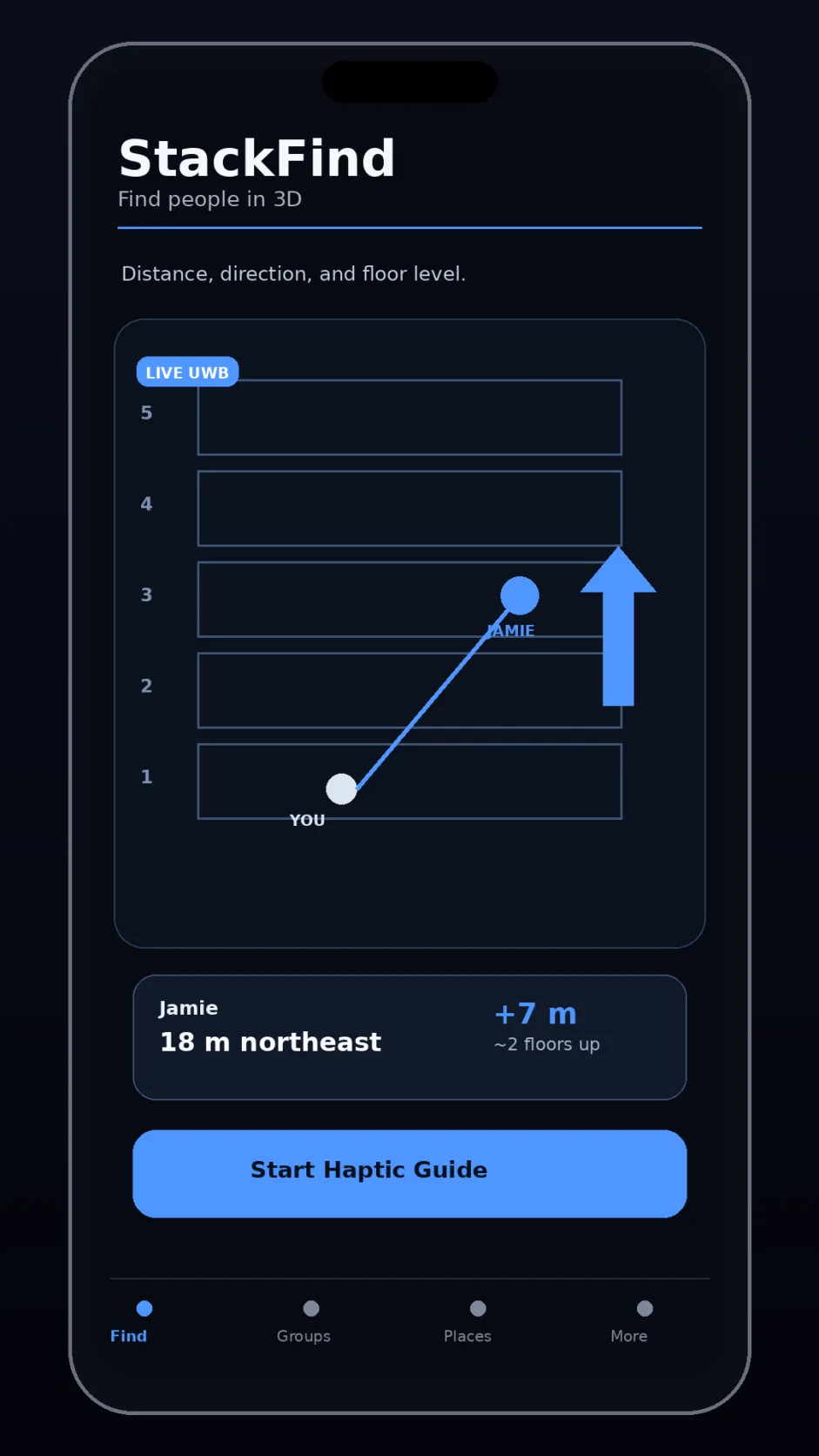
Find a nearby friend on another floor.
Combine calibrated phone ranging, pressure trends, heading, and coded haptics to suggest a nearby friend’s direction and possible floor offset in a multistory building.
An iPhone already contains cameras, microphones, an accelerometer, gyroscope, compass, and location hardware. Supported models add depth sensing and UWB. Combine those inputs with AI that can understand scenes and intent, and you get thousands of possible apps waiting to be explored.
AI coding tools shorten the path from an idea to a working prototype. Start with one small demonstration, then test the sensors, tracking, and rules on real phones.
| Phone capability | What it can contribute | Ideas to explore |
|---|---|---|
| Cameras and depth | See objects, people, surfaces, and spatial structure. | HiveScan, ThirdPerson |
| Microphones and speakers | Capture sound from different places and return audio. | SoundGlass |
| Accelerometer, gyroscope, compass, and barometer | Measure movement, rotation, heading, and air pressure. | ForkPhysics, SwarmLab |
| Nearby radios | Coordinate devices and, on supported models, estimate relative distance or direction. | XrayPhone, Foldspace |
| Screens, lights, and haptics | Show spatial guidance, illuminate a scene, or cue a person. | BorrowLight, CrowdDirector |
| GPU, Neural Engine, and AI | Run vision and AI on supported phones; turn scenes and intent into structured inputs for rules and simulations. | MatterScript, Junkgineer |
Sensors and permissions vary by model and operating system. This inventory is informed by public iPhone hardware references; LiDAR availability is listed in Apple’s device guidance.